


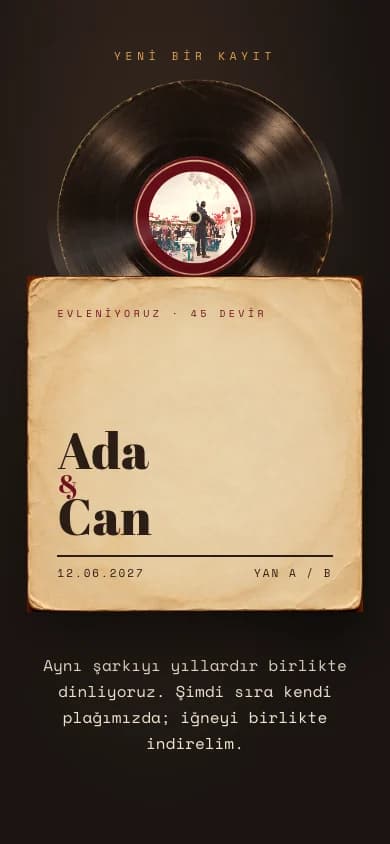


Why couples use a single link instead of scattered messages
When wedding details live across a paper card, a WhatsApp group, and separate calendar invites, guests inevitably lose at least one piece of information. Someone forgets the ceremony start time, another guest drives to the wrong entrance, and half the guest list forgets to confirm whether they are bringing a partner.
A dedicated wedding link solves this by putting the entire guest journey on one screen. Guests open the page on their phone, see the date and countdown, tap the map pin for navigation, check the dress code, and submit their RSVP in under a minute. Because the page is live, a last-minute room change or parking note updates immediately for everyone who opens the link.
- Fewer repetitive questions: Venue address, timing, and dress code are always two taps away.
- Cleaner headcount tracking: Replies land in one structured list instead of buried chat messages.
- Easier travel planning: Out-of-town guests can open the exact map coordinates and plan arrival times.
- Multi-event clarity: Engagement, henna night, ceremony, and reception can sit on one timeline with separate times and locations.
Essential sections every wedding website with RSVP needs
More pages do not make a better guest experience. In fact, guests rarely read five tabs of long essays; they look for practical answers first and emotional touches second. Keep your layout focused on the elements guests actually check before and on the wedding day.
- Couple names, date, and countdown: The first screen should immediately confirm whose wedding it is, when it takes place, and where.
- Venue name and interactive map: Include the full street address alongside a direct map link so ride-share drivers and navigation apps land at the right door.
- Event schedule: If you are hosting a ceremony followed by dinner, or separate days for a henna night and wedding, list each block with its start time.
- Online RSVP form: Ask for attendance status, total guest count, and a short note field for dietary needs or accessibility requests. For wording ideas, see our guide on RSVP meaning and wording.
- Dress code: State the expected attire clearly so guests know whether the venue calls for black tie, cocktail, modest evening wear, or outdoor-friendly shoes.
- Your story and photos: A short welcome note and a curated set of engagement photos make the page feel personal without slowing down mobile loading.
- Background music: Adding a track via a Spotify link sets the mood as guests scroll through the invitation.
- Guest photo gallery: A shared gallery lets attendees upload candid moments via QR code after the celebration.
In davetvia, these elements are built into a single scrollytelling flow so guests simply scroll down on their phone instead of hunting through navigation menus.
Scrollytelling digital invitation vs. building a traditional website
Couples choosing an online hub usually weigh two approaches: assembling a multi-page site with a general website builder, or using a purpose-built digital wedding invitation that already includes RSVP and gallery tools. Both deliver a shareable URL, yet the setup time and mobile reading experience differ sharply.
| Aspect | Traditional DIY wedding website | Scrollytelling digital invitation |
|---|---|---|
| Setup effort | Pick a theme, build multiple pages, configure forms and mobile breakpoints manually | Choose from ready templates, enter couple details, preview immediately, and publish |
| Mobile reading flow | Menu tabs and nested subpages that require extra tapping | Vertical scroll experience designed for phone screens first |
| RSVP management | Often needs external form plugins or manual spreadsheet exports | Built-in RSVP form with guest count, notes, and dashboard tracking |
| Multi-event support | Requires duplicating layout blocks for engagement or henna night | Dedicated fields to add engagement and henna events with separate dates and venues |
| Sharing on messaging apps | Plain URL preview unless custom Open Graph tags are configured | Automatic link and QR code ready for WhatsApp wedding invitations |
| Post-wedding photos | Usually requires linking to a separate cloud folder | Integrated wedding photo QR code gallery with approval before publishing |
How to set up your RSVP form for accurate headcounts
An online RSVP form only saves you time if the questions are clear. Ambiguous forms create follow-up work: guests write "coming" without mentioning whether their spouse is joining, or they forget to mention a severe food allergy until the week of the wedding.
Keep the form short enough to finish in thirty seconds. Ask for name, attendance choice, number of guests, and an open note box. Set your RSVP deadline three to four weeks before the wedding date so you have a full week of buffer before giving the caterer or venue your final count.
- Specify who is invited: Make it clear on the invitation or in the personal message whether the invite covers one person, a couple, or the whole family.
- Use personalized links for sensitive guest lists: On davetvia Standard and Premium tiers, personalized RSVP links let you see exactly who responded without relying on guests to type their name consistently.
- Export before seating prep: Download your confirmed list as a CSV file when finalizing tables and place cards.
- Plan one polite reminder: Five days before the deadline, send a brief follow-up with the direct link to anyone who has not replied yet.
You can compare guest limits, contact import options, and RSVP dashboard features on the pricing page.
Combining your website link with WhatsApp, QR codes, and paper cards
Choosing a wedding website with RSVP does not force you into an all-or-nothing decision. Many couples send the digital link directly via WhatsApp, SMS, or email to friends and younger relatives, while printing a small batch of cards for grandparents or keepsake albums.
If you print physical cards, place the QR code from your digital invitation in the bottom corner with a one-line prompt such as "Scan for map, schedule, and RSVP." That hybrid setup keeps printing costs low while giving every guest access to live directions and the online response form.
Browse the template gallery to see how animated scrollytelling layouts look before entering your own details.
Collecting guest photos on the same link after the ceremony
Most wedding websites go quiet the morning after the reception. Turning your invitation link into a shared photo album keeps the page useful long after the last song. Guests scan a QR code placed on reception tables or open the same invitation link they already saved in WhatsApp and upload photos straight from their phone browser without installing an app.
Because every guest photo passes through couple approval before appearing in the gallery, you stay in control of what is shown. With multiple display styles such as exhibition, classic album, polaroid, magazine, or newspaper layouts, the same link becomes a lasting digital keepsake.
Common mistakes when launching a wedding website
Even a well-designed page can cause friction if small details are overlooked before you hit send. Run through this checklist before sharing your link with the full guest list.
- Sharing before testing on a phone: Always open the preview on both iOS and Android screens and tap the map link to confirm it opens the right venue pin.
- Forgetting the time zone or local venue name: If you have international guests, spell out the city and neighborhood clearly alongside the map.
- Leaving the RSVP deadline vague: Phrases like "let us know soon" delay replies; pick a firm calendar date.
- Overloading the page with text: Guests scan on mobile; keep paragraphs concise and use clear headings.
- Ignoring non-smartphone guests: Keep a family phone number on standby so elderly relatives can confirm by voice while you log their reply in your dashboard.
Ready to test your layout? You can pick a design, enter your event details, and preview your page for free on the create page before choosing a package.
Templates for this occasion
Open a live preview and personalise it in minutes.
Frequently asked questions
What should a wedding website with RSVP include at minimum?
At minimum, include both partners' names, the exact date and start times, the full venue address with a map link, a clear RSVP deadline, and an online form asking for attendance and guest count. Adding a dress code and short welcome note covers almost every remaining guest question.
When should we share our wedding website link with guests?
Share the link as soon as your date, ceremony time, and venue are locked in—typically 8 to 12 weeks before a local wedding, or 4 to 6 months ahead for destination weddings. For a detailed timeline, see our guide on when to send wedding invitations.
Can we include engagement and henna night details on the same wedding website?
Yes. In davetvia, you can attach engagement and henna night events with their own dates, times, and venue locations to a single wedding invitation so guests only need to save one link.
Do guests need to download an app to RSVP or upload photos?
No. Guests open your invitation link or scan your QR code in their normal mobile browser to submit their RSVP and upload photos to the guest gallery.
How do we handle guests who are not comfortable with online forms?
Include a fallback phone number in your message for elderly relatives. When they call or text their reply, you can track their attendance alongside everyone else's responses in your RSVP list.
Is a wedding website better than a paper invitation?
A wedding website with RSVP is faster to update, easier to share with distant guests, and far simpler for tracking headcounts. Many couples still print a few keepsake cards with a QR code pointing to the digital page for the best of both worlds.
Can we change the venue time or schedule after sending the link?
Yes. Because the invitation lives at a single URL, any update you make to the schedule, map pin, or dress code appears immediately for every guest who opens the link.